Document processing
Your team retypes information from documents
Reading a PDF and typing it into a system is slow, and it is where errors start. I build a flow that reads the document, checks the values against your rules and asks a person only when something does not add up.
WHEN TEAMS CALL
When document processing automation helps
- People copy values from PDFs into a system.
- Errors are found weeks later.
- Volume rises at month-end and the team cannot.
- Documents arrive in many layouts.
When it is not the right fit. If you handle a few documents a month, typing them is cheaper.
HOW I WORK
Document processing automation, step by step
Each step ends with something you can look at, so nothing is built on a guess.
Collect real samples
I work from your actual documents, including the bad scans, because clean samples hide the hard cases.
Extract to a fixed structure
Every document becomes the same set of fields, whatever its layout.
Check the values
Totals must add up, dates must be valid, and suppliers must exist. These are rules, not guesses.
Route by confidence
Clean documents pass through. Doubtful ones wait for review with the field in question highlighted.
Deliver and archive
Approved values go to your system and the original is stored beside them.
WHAT YOU GET
Deliverables
- An intake flow for email, folder or upload
- Extraction with validation rules
- A review step for exceptions
- A log that links each value to its document
WHAT I NEED
To get started
A set of sample documents with sensitive details removed, and the fields you need from them.
Further reading: Microsoft's document intelligence overview.
QUESTIONS
Before you ask
Does it work with scanned documents?
Yes, with lower confidence on poor scans. Those go to review instead of being guessed.
How accurate is it?
It depends on your documents, so accuracy is measured on your own samples before anything goes live.
Where is our data processed?
That is decided with you at the start. Local models are an option when documents cannot leave your environment.
RELATED WORK
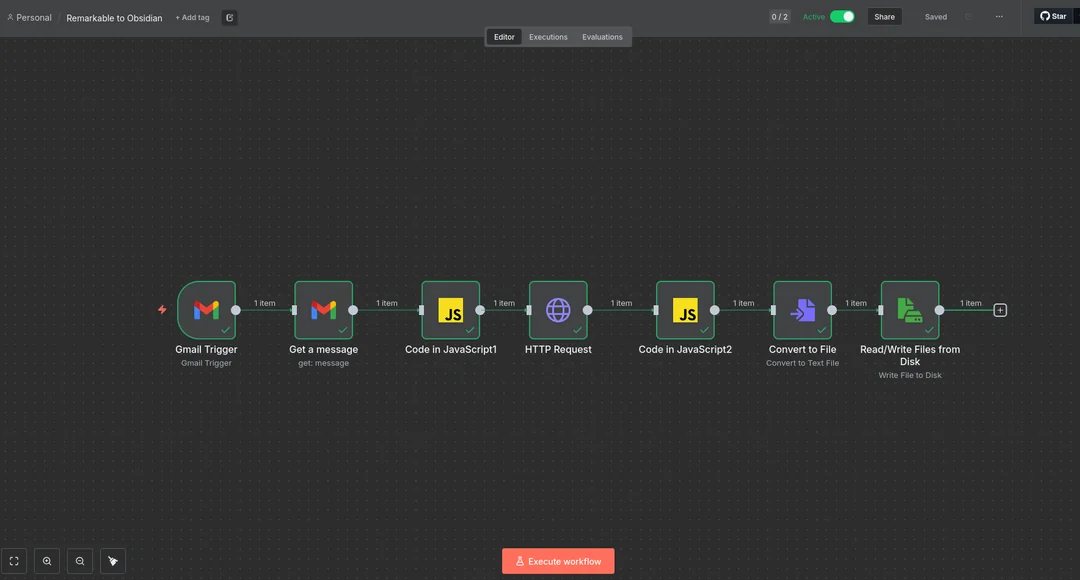
Handwritten notes move from a tablet into a searchable notebook without manual steps.
reMarkable-to-Obsidian sync Read the work
WORKING TOGETHER
What to expect
- Who does the work
- I do, from the first conversation to the handover. Nothing is passed to someone else.
- Where it happens
- Remotely, with calls planned around overlapping hours. Your data stays in your environment wherever possible.
- Confidentiality
- I am happy to sign an NDA before seeing anything, and I do not name clients.
- Before work starts
- You receive a written scope and a quotation. Nothing begins until you agree to both.
- At the end
- Everything is documented and handed over, with logic in version control. You own it.
- Reply time
- I answer new requests within one to two days.
RELATED SERVICES
Often needed together.
Tell me what you need. I will send you a quotation.
A few lines about the problem and the data behind it are enough to start. I reply with questions, then a clear scope and a quotation.